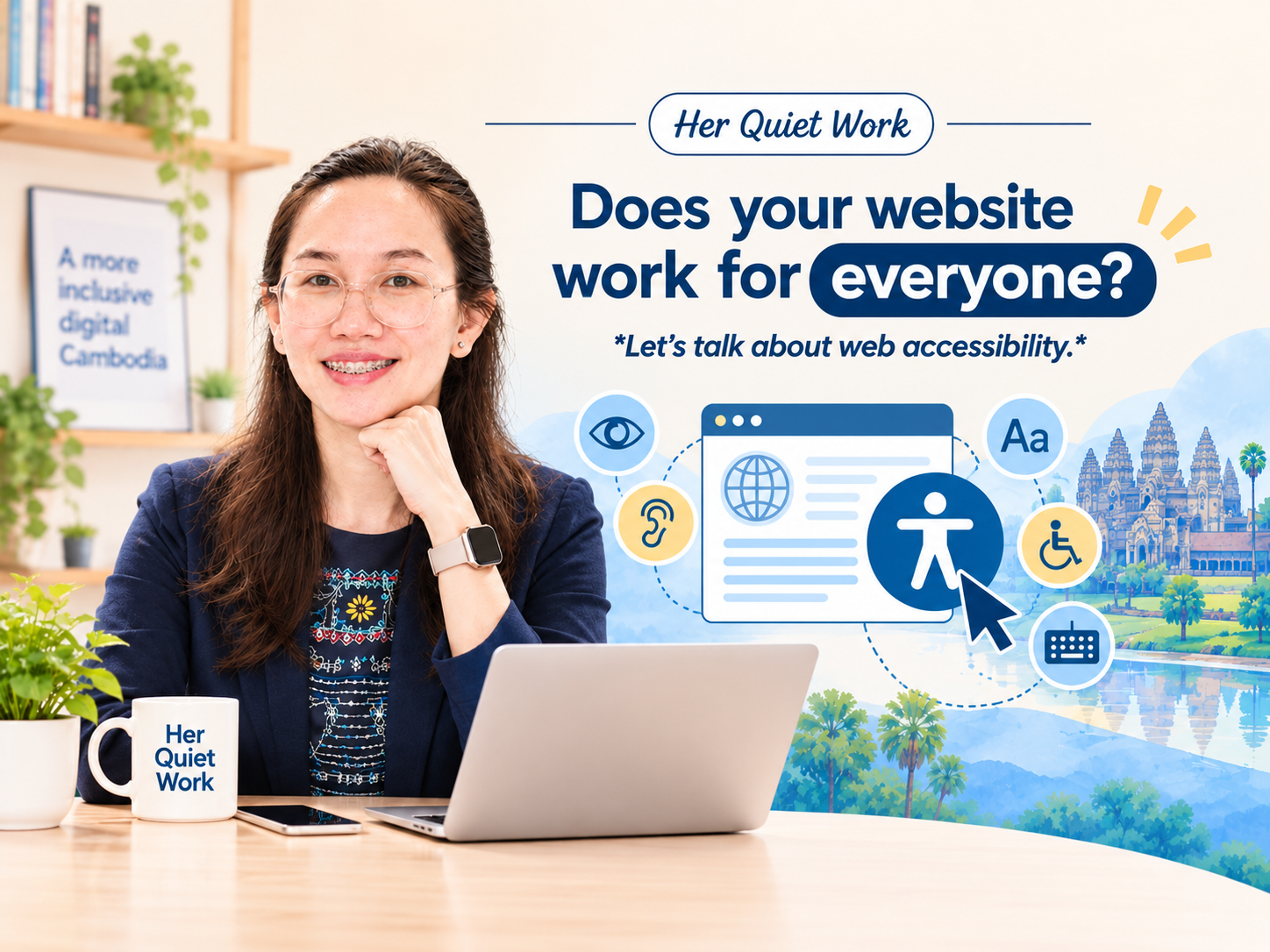
Reaching people online is only the beginning. Can they use what we create?
In brief: Web analytics show who arrived, not who could use what we built. Asked what they would do if a government service could be completed online, only 11.4% of people in a 2026 Cambodian survey said they would do it themselves on their phone. Much of the digital-inclusion funding examples I came across focus on getting people online, which raises another question: how much goes into making what they reach usable? Accessibility is a rights issue first, and the decisions sit with many roles, not only developers.
Most digital teams are managed by numbers. Page views. Search ranking. Bounce rate. Time on page. These tell us who arrived and what they did next.
They do not tell us who could not read the page, could not use the menu, or never came because the service was not built for them.
On a dashboard, that person can look like a bounce.
I have spent nearly a decade managing an open data and knowledge management platform in Cambodia, and like many teams, we watched those numbers closely. What we asked far less often was the harder question:
Are we measuring how many people reach our content, or how well people can use it?
The web’s original promise
The web was fundamentally designed to work for everyone, regardless of hardware, software, language, location, or ability. Its inventor, Tim Berners-Lee, summed up that promise: “The power of the Web is in its universality.” Today it is an important resource in education, employment, government, commerce, health care, and more, so who can use it shapes who can take part in those parts of life.
Poorly designed websites and tools create barriers that exclude people. The UN Convention on the Rights of Persons with Disabilities defines access to information and communications technologies, including the web, as a basic human right.
Web accessibility means designing and building websites, tools, and content so that people with disabilities can perceive, understand, navigate, and interact with the web, and contribute to it. Digital accessibility is the wider field, which also includes documents, apps, and video. In this post, “accessibility” means digital accessibility, and “web” means websites and web content. If you search for this topic online, you will also meet the shorthand a11y, often as the hashtag #a11y. It is a numeronym: the 11 stands for the eleven letters between the “a” and the “y” in “accessibility”, and it is read as “ally”.
The international standard is the Web Content Accessibility Guidelines (WCAG), developed by the World Wide Web Consortium (W3C). Accessibility benefits people with disabilities, but thoughtful design can also make digital experiences easier for older people, people with different levels of digital literacy, and people using different devices or working in challenging environments.
W3C notes that accessibility is most efficient when it is built in from the beginning. That is the thread through this post: accessibility is decided early, by many people, not only by developers.
Drawn from W3C’s Introduction to Web Accessibility.
The people behind the gap
The numbers tell different parts of the same story. More people are connected, but connectivity alone does not mean everyone benefits equally.
- Online, but unevenly. An estimated 6.3 billion people, or 76% of the world’s population, used the internet in 2026, leaving 2 billion offline. But access remains unequal: internet use reached 93% in high-income countries, compared with just 32% in low-income countries. The urban–rural gap has narrowed but persists: 82% of urban residents are online, compared with 63% in rural areas. (International Telecommunication Union, Facts and Figures 2026)
- Disability is part of everyday life. The World Health Organization (WHO) estimates that 1.3 billion people, or 16% of the global population, experience significant disability (2023 estimate). (WHO)
- Websites still have considerable barriers. WebAIM’s 2026 analysis found detectable accessibility failures on 95.9% of the home pages in its sample of the top one million websites, averaging 56.1 errors per page. These are global findings, not an assessment of Cambodian websites. (WebAIM Million)
- In Cambodia, connection is high, but use of digital services is uneven. About 12.0 million people were online at the end of 2025, roughly two in three (DataReportal). Yet a 2026 survey by the Cambodia Development Resource Institute (CDRI), written by Chunly, Khath and Sak, found that 76.9% of people aged 16 and over had not used a government digital service in the previous 12 months. Awareness and capability were the main reasons for 92.1% of non-users. Location made no significant difference, while education did: use rose from 10.2% among people with primary schooling to 73.7% among those with post-secondary education.
The CDRI survey measures government digital services, not website accessibility. But it makes an important point: putting something online is only one step. People also need to know it exists, feel able to use it, and be able to get what they need.
What Cambodia’s own assessment found
A 2024 assessment by CDRI for UNESCO, written by Bun Phoury and Chea Phal: Information Needs Assessment for Persons with Disabilities in Cambodia, is the most detailed look at access to information for people with disabilities in the country. It looks beyond websites to information accessibility more broadly, including radio, television, and digital platforms.
- Disability estimates vary with the measure. The 2019 census counted about 5%. The 2021–22 health survey found that 24.4% of people aged five and over had some difficulty in at least one area, and seeing difficulties were the most common (16.4%). These use different measures and should not be directly compared.
- Being online does not mean being well served. The report cites health-survey data showing more than 60% of respondents with disabilities using the internet almost every day. Yet interviews found that many knew only basic functions, unstable connections prevented complete access to information, and assistive tools were often built in English rather than Khmer.
- People often depend on others. Family members, friends, neighbours, organisations of persons with disabilities (OPDs), NGOs, and local authorities were common sources of information, and OPDs and NGOs were among the most trusted. That support matters, but it raises a question about whether people can access information independently when they want to.
- Communities are finding their own ways. One interviewee described a Telegram group of 200 to 300 people with visual difficulties who share assistive technology, including voice-over apps that work in Khmer and English.
- Implementation and funding remain uneven. Few government representatives interviewed could explain how they accounted for different disabilities when publishing information. The development partners interviewed had no mechanism to monitor whether their efforts reached people with different disabilities. Policies did not say who should pay for accessible information, and the report recommends dedicated budgets for information accessibility and digital literacy.
More people are connected, but connection alone does not close the gaps in digital skills, information quality, and accessibility.
What the dashboard hides
These findings brought me back to the web analytics dashboards most digital teams use to understand their audiences. At least three groups may not be visible in the numbers.
- The person who left. A bounce can mean disinterest. It can also mean a low-contrast page, an unlabeled form, or a chart that a screen reader cannot interpret.
- The person who never arrived. They may not have known the service existed, or the information may not have been available in a language they could follow.
- The person who came through someone else. CDRI’s 2026 survey asked what people would do if a government service could be completed online. Only 11.4% said they would do it themselves on their phone. Another 19.4% would ask someone else, such as a relative, friend, official, or paid agent, and 69.2% would still go to an office in person. These are stated preferences about government services, not observed behaviour on websites. But analytics record the click. They do not record the person helping, or the person who walked to the counter.
None of this makes page views less useful. It means they are one part of the picture.
When we design for the edge, everyone benefits
I first encountered the curb-cut idea in the Google course Foundations of User Experience (UX) Design. Angela Glover Blackwell’s account describes how, in the early 1970s, wheelchair users in Berkeley, California, created a crude ramp at a curb. In 1972, the city installed its first official curb cut. Today, curb cuts help not only wheelchair users but also parents with strollers, workers with carts, and travellers with luggage. Blackwell calls this the curb-cut effect: a change designed to remove barriers for people facing the greatest difficulties often ends up benefiting a much wider population.
Explore the curb-cut effect: Watch the American Experience video.
Accessible versions, including American Sign Language (ASL) and Extended Audio Description, are in the playlist.
People with disabilities have the right to use the information and services we publish. That is reason enough. The wider benefit is another reason, particularly when making the case to people who hold budgets.
Digital content has its own curb cuts. Captions were developed to support people who are deaf or hard of hearing, yet 42% of people in a Stagetext survey said concentration is a reason they use subtitles. Plain language and simple forms help people reading in a second language, people new to the internet, and anyone in a hurry. Large text and strong contrast make pages easier to read on phones in bright sunlight. Clear headings and descriptive links help readers navigate.
The Cambodian assessment similarly recommends information that is tailored to different types of disability, trustworthy, translated, clear, simple, and timely. Most of that is good practice for any reader.
Who can change this?
In the development sector, the decisions that shape accessibility are made long before a developer starts: in funding priorities, proposals, management decisions, programme plans, and project timelines. That means everyone in that chain can help, and an early conversation can make the biggest difference.
W3C’s Roles Involved in Accessibility identifies six areas of responsibility: business, authors, design, development, testing, and administration. Funders, governments, civil society organisations, media organisations, and OPDs sit outside that model, but they also influence what teams can prioritise and deliver. In small teams, one person may hold several roles.
Accessibility is a shared responsibility across the entire digital information lifecycle. But shared responsibility does not mean responsibility belongs to no one.
- Funders, development agencies, and senior leaders can allocate resources and make accessibility a priority from the outset.
- Fundraisers, programme managers, and procurement teams can build accessibility, translation, testing, and clear requirements into proposals, plans, budgets, and contracts.
- Governments and businesses can make sure digital services remain usable and do not exclude people who need alternative support.
- Writers, editors, media organisations, and developers can make accessible content and design part of everyday practice.
- Testers, researchers, and OPDs can help identify barriers and shape solutions from the beginning, not only after launch.
Each organisation and project can name who is accountable for accessibility at each stage.
I include myself in this list. This is not a call to fix everything at once. Small teams and civil society organisations often work with limited budgets, short project periods, and few specialists, and some barriers take time to remove. The question is whether someone takes responsibility for the next improvement, and whether the people affected help decide what matters most.
Why now?
Funding needs to consider what happens after people connect.
Much of the digital-inclusion funding I came across focuses on connectivity, devices, and skills. Those matter, but someone who is connected and trained can still meet a page they cannot use.
In Cambodia, one relevant example is UNESCO’s ongoing project on access to information, part of the UN joint programme Accelerating Disability Rights in Cambodia. UNESCO’s component is listed with a budget of US$209,032 for 2022 to 2025, with a Q4 2025 reporting snapshot showing 95% spent. Its activities include accessible content production and digital literacy for persons with disabilities, but I did not find a specific focus on website or digital-service accessibility. This raises a question: how is digital accessibility budgeted within wider programmes?
Services and shopping are moving online.
A service that moves online without accessibility in mind can create new barriers for the people least able to work around them. A person who cannot use a checkout form may be unable to buy anything, and W3C’s guidance considers the whole process, with every page in it needing to conform. I did not find Cambodia-specific research on how accessible online shopping is, and that is a gap worth exploring.
The need will keep growing.
The WHO estimates that the global population aged 60 and over will reach 1.4 billion by 2030 and 2.1 billion by 2050. (WHO, Ageing and Health)
Where to begin: standards and practical resources
You do not need to be an accessibility specialist to start. Choose the resource that fits your role.
- Curious readers: W3C, Introduction to Web Accessibility
- Writers and editors: W3C Easy Checks, a first review rather than a full assessment
- Leaders and project managers: W3C, Planning and Managing Web Accessibility and The Business Case for Digital Accessibility
- Designers and developers: WCAG 2.2, the current W3C standard for web content. WCAG2ICT provides guidance on applying WCAG to documents such as PDFs and to software. WCAG 3 remains an early draft, not yet a standard.
- Testers: WCAG-EM, W3C’s method for evaluating website conformance
- Media organisations: UNESCO’s Practical Manual on Disability Equality in the Media (2024)
- Data portals: the European Data Portal’s visualisation guide and data.gov.uk’s accessibility statement offer examples of accessible visualisations and of communicating known limitations. These are examples from elsewhere, not Cambodian practice.
- For the Cambodian context: UNESCO and CDRI, Information Needs Assessment for Persons with Disabilities in Cambodia
Four things are worth remembering about the standards:
- WCAG has three conformance levels: A, AA, and AAA. Each includes the requirements of the level below it, and W3C says choosing which to aim for is a policy decision.
- A standard is a starting point. Providing a simplified version of complex text, when it requires reading ability above the lower-secondary level, is a Level AAA requirement.
- Automated tools cannot find everything. W3C’s guidance expects them to uncover about 30 to 35% of potential issues on a screen. Manual testing, including with people who have different disabilities, remains important.
- Publishing tools matter too. W3C’s Authoring Tool Accessibility Guidelines cover content management systems and publishing platforms, whose features and defaults shape what authors produce.
What I am still learning
My work in research and content management has taught me to track reach and engagement. Training young people, communities, and older learners in person, on projects that promote access to information, taught me what dashboards cannot show: accessibility is essential, not optional.
I have worked with open data and knowledge platforms, including English- and Khmer-language content, for nearly a decade, and I have seen how language shapes access to information. I am deepening my knowledge of digital accessibility, especially how international standards work in practice for Khmer-language content and for readers with different literacy levels, and I want to learn from people who use assistive technologies in Cambodia.
I am interested in projects that build accessibility in from the start. If you are working on this, I would welcome your examples and corrections, and conversations about collaboration. You can reach me through the Contact page.
One question to take back to your team
I used to ask whether people could reach the information. Now I ask who decided that they could, and who is still left out.
What would change if accessibility were part of how we define a good digital experience, not an extra task for when time allows?
Your turn
That is the list as I see it. It may look different from where you sit.
If you work in UX or UI design, user research, policy, inclusive research, access-to-information advocacy, or business: what question do you usually start with, and what do you wish someone had asked you earlier?
Share it in the comments or through the Contact page. With your permission, I may gather some of the questions in a follow-up post.
This reflection continues a thought from my earlier post, Beyond Access: Rethinking My Work Through Equity-Focused Design.
A personal learning reflection, not a research article or an accessibility audit. Written in a personal capacity; the views are my own. Figures and sources were last checked on 7 November 2026. If any part of this page is difficult to use with your assistive technology, I welcome your feedback in the comments.